• 90K+ users
  • 6 languages
  • AI assistant

Task manager in Telegram

Simple. Convenient. Secure.

Add the app to a group chat and assign tasks to its members

How it works

Four simple steps

UTasks works right inside Telegram: there is nothing to install, and your whole team is already in the chat.

  1. 01

    Open UTasks

    Find @UTasksBot in Telegram, tap “Start” and then the “Tasks” button at the bottom of the chat. UTasks opens right in the messenger – no installation or sign-up.

  2. 02

    Add the bot to a group chat

    In the app, tap “+”, then “Add to chat” and choose a group. The bot creates a group project and sends a “Tasks” button – it is handy to pin it.

  3. 03

    Assign tasks right in the conversation

    Create a task in the app, write to the bot in your own words or send the /new command (in Pro). The bot announces it in the group chat right away.

  4. 04

    Get notifications and reminders

    The bot posts to the chat when a task is created or changed, and reminds you about it 15 minutes before and at the set time.

Task organization

Create tasks inside Telegram

Just add tasks in your own words, and UTasks sorts them into categories for you

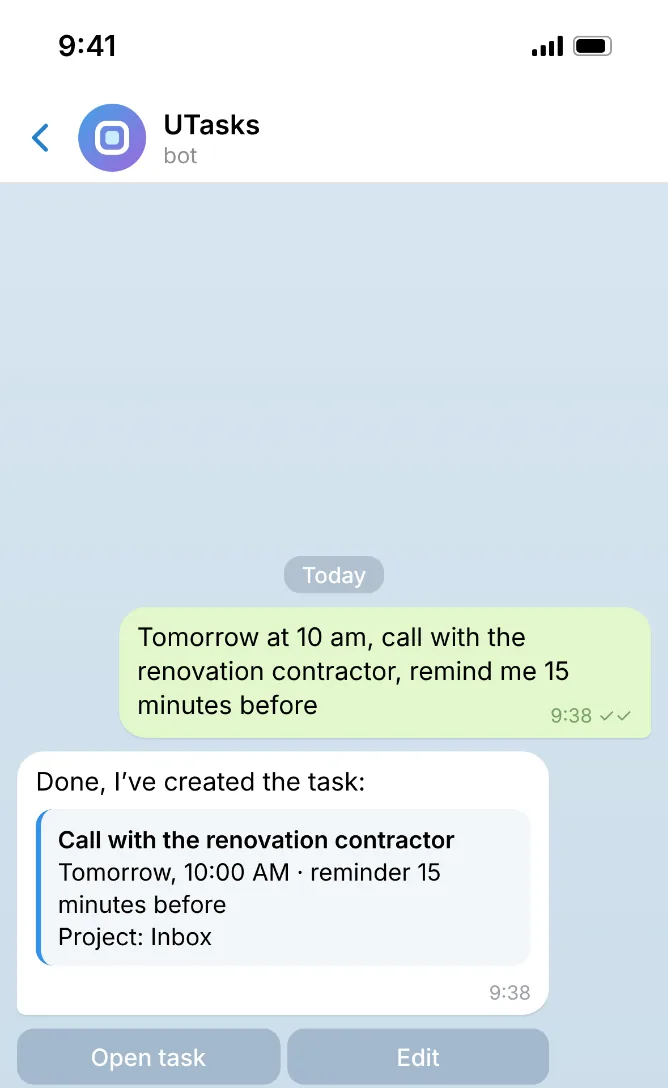
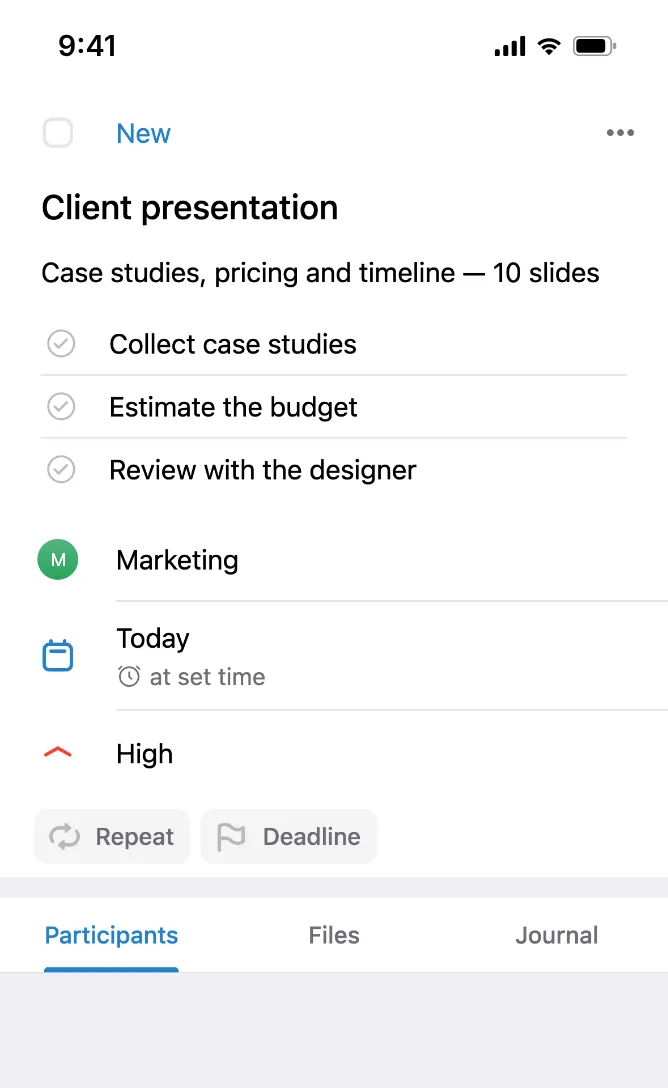
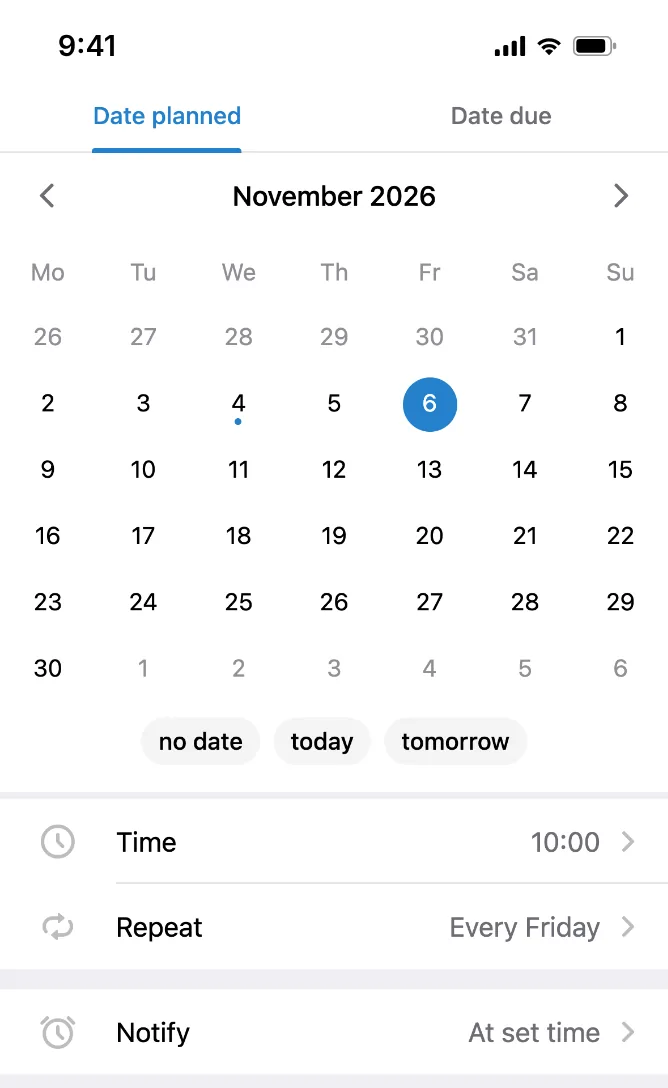
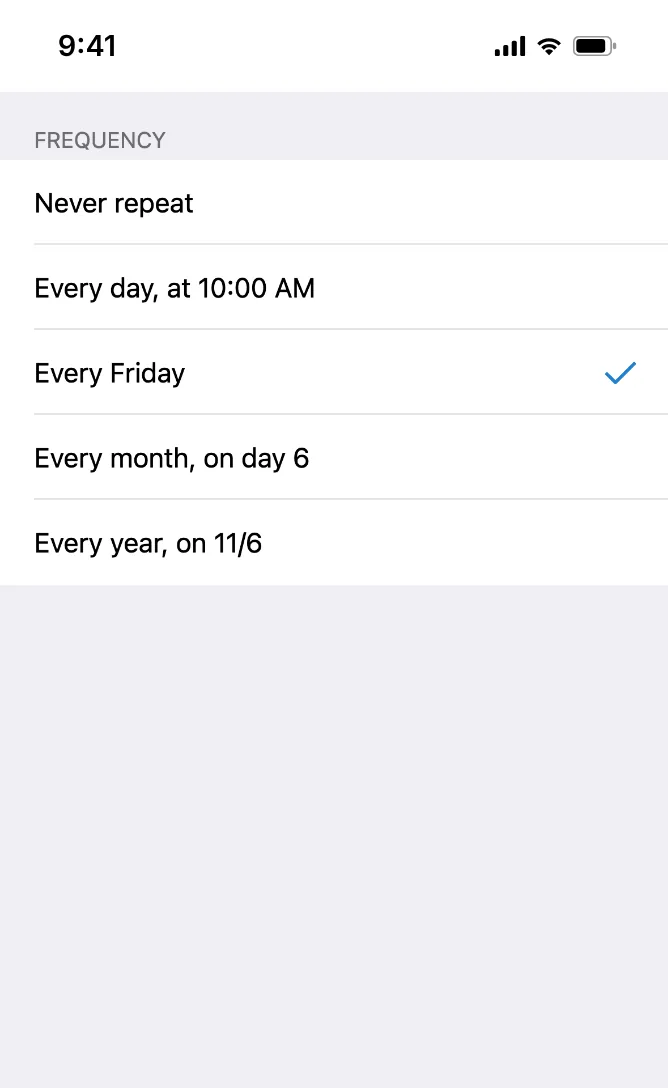
Chat with the UTasks bot: a task created from a regular messageNew task card: description, checklist, project, date and priorityTask calendar: date, time, repeat and notificationsRepeat options for a taskA task with a deadline, priority and status

Tell the bot what needs to be done in plain words or by voice, and it creates a task with a date and a reminder. In a group chat, start your message with /ai.

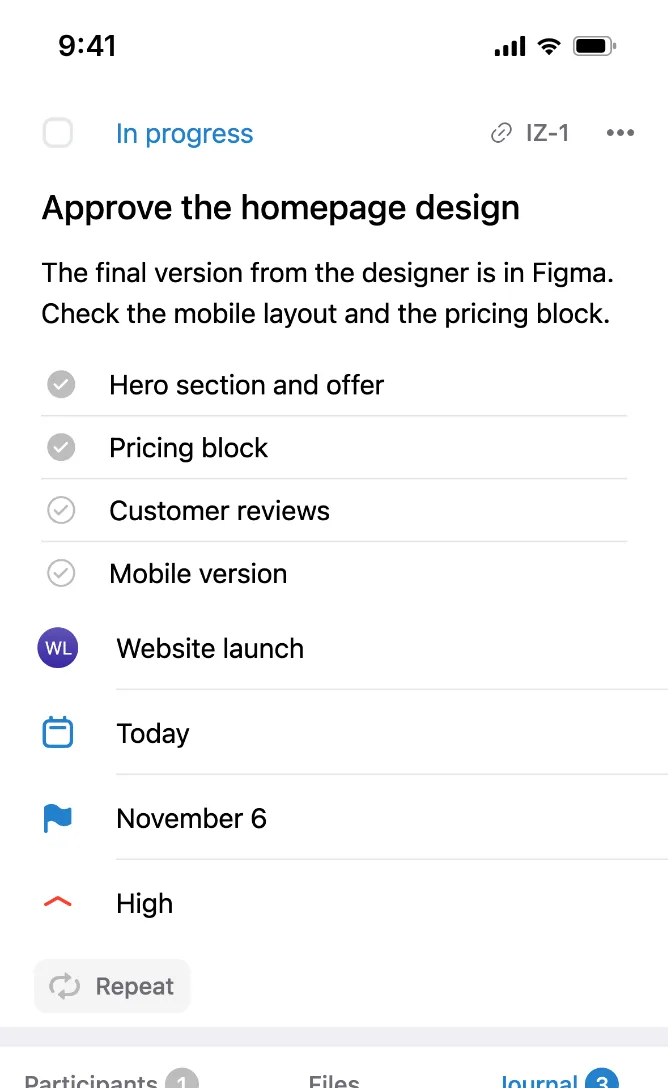
Title, description, checklist, project, date and priority in one card. Create a task from the home screen, from a project, by forwarding a message to the bot or with the short /new command.

A calendar with quick “Today” and “Tomorrow” options, time and notifications. The bot reminds you about a task 15 minutes before and at the set time – in the group chat and in private messages.

Repeat every day, week, month or year. The task comes back on the right day, so you never have to create it again.

The date shows when a task is planned, and the deadline is the final due date set by the author. On the deadline day, the counter in “Today” turns red. Priority and status show what matters most.

Group projects

Work with your team right in group chats

Add the bot to a group chat, and your team gets a group project. Tasks, assignees and due dates are visible to the people they concern.

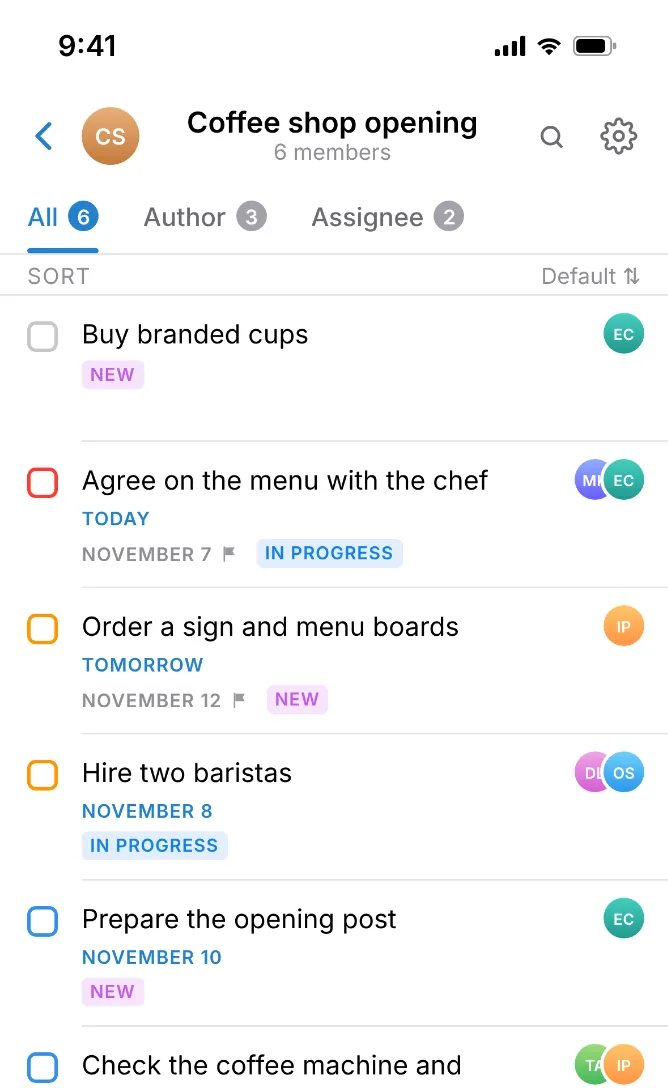
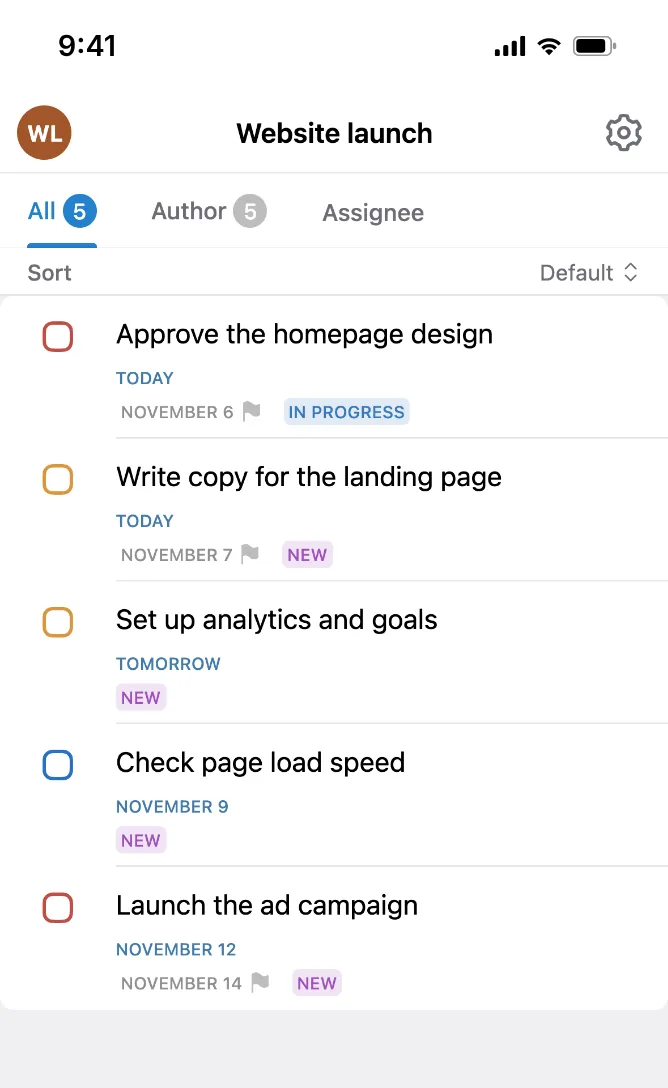
The group project “Coffee shop opening”: members’ tasks with assigneesTask log with commentsA project with the “All”, “Author” and “Assignee” tabsChoosing a project to move a task to

A project is created from a Telegram group chat. Assign tasks to group members, add several assignees, and the bot sends notifications to the group chat.

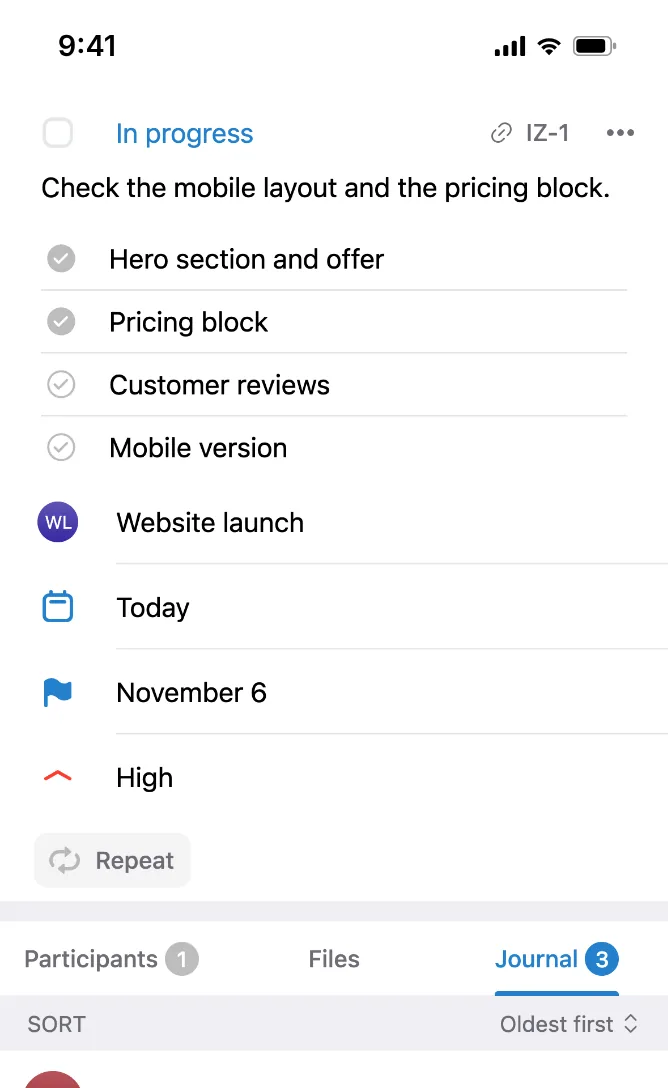
Tap “Discuss”, and the task is posted to the group chat: a reply to that message is saved as a comment. The log shows the full history of changes.

See all project tasks at once, or only the ones you created and the ones assigned to you.

Move tasks between projects – for example, from a personal project to a group one when your team needs to join in.

Personal tasks

Organize your personal life

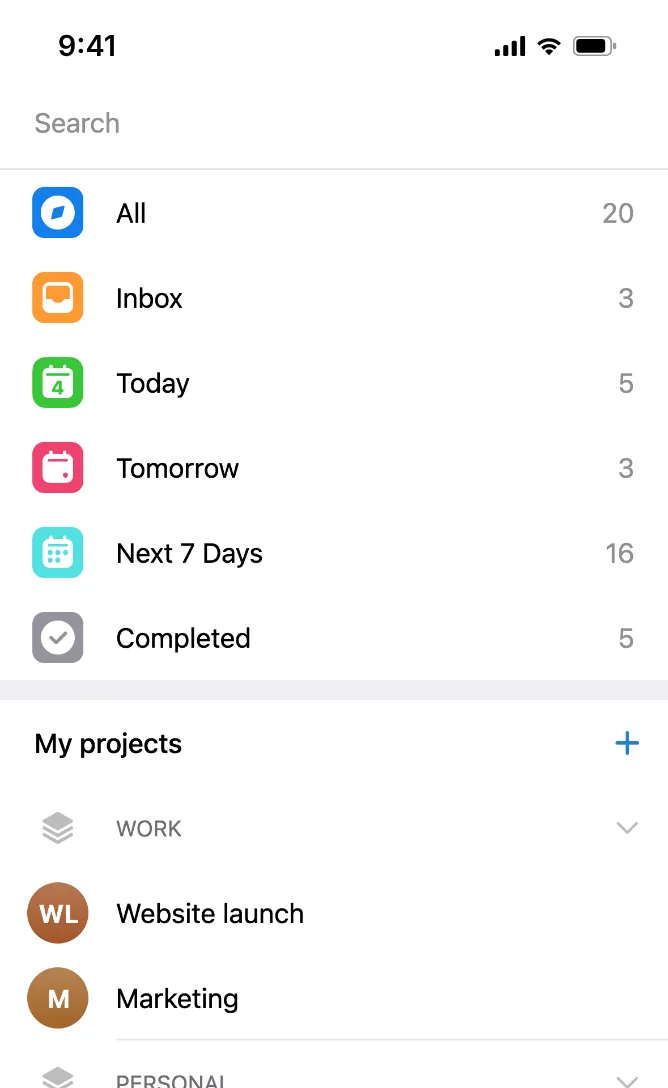
The home screen gathers tasks from all your projects: what is due today, tomorrow and over the next week.

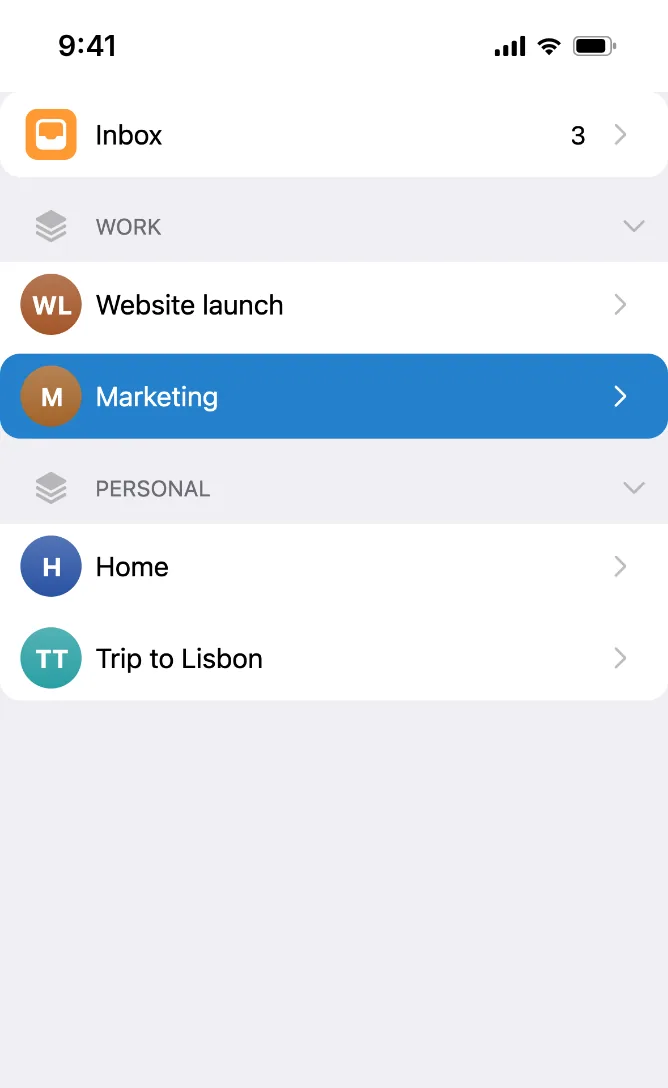
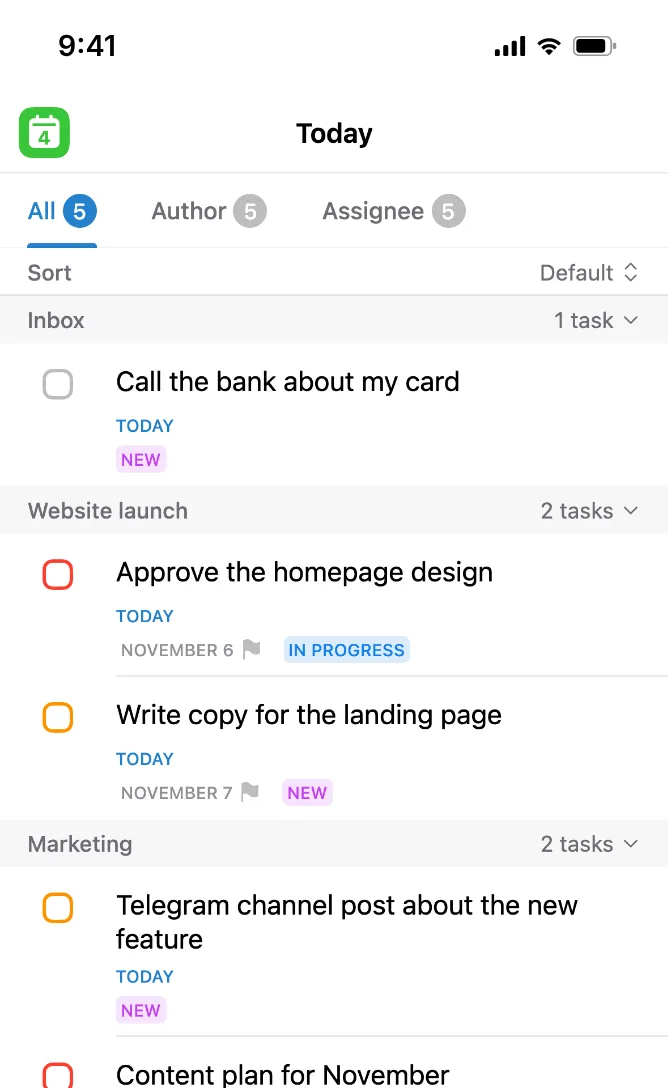
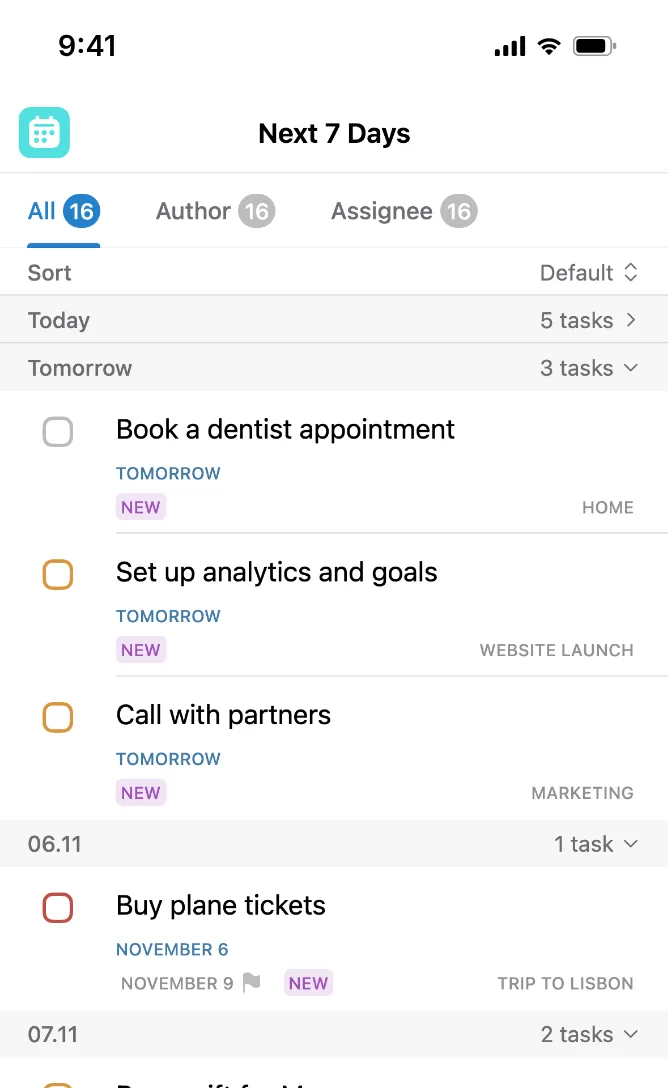
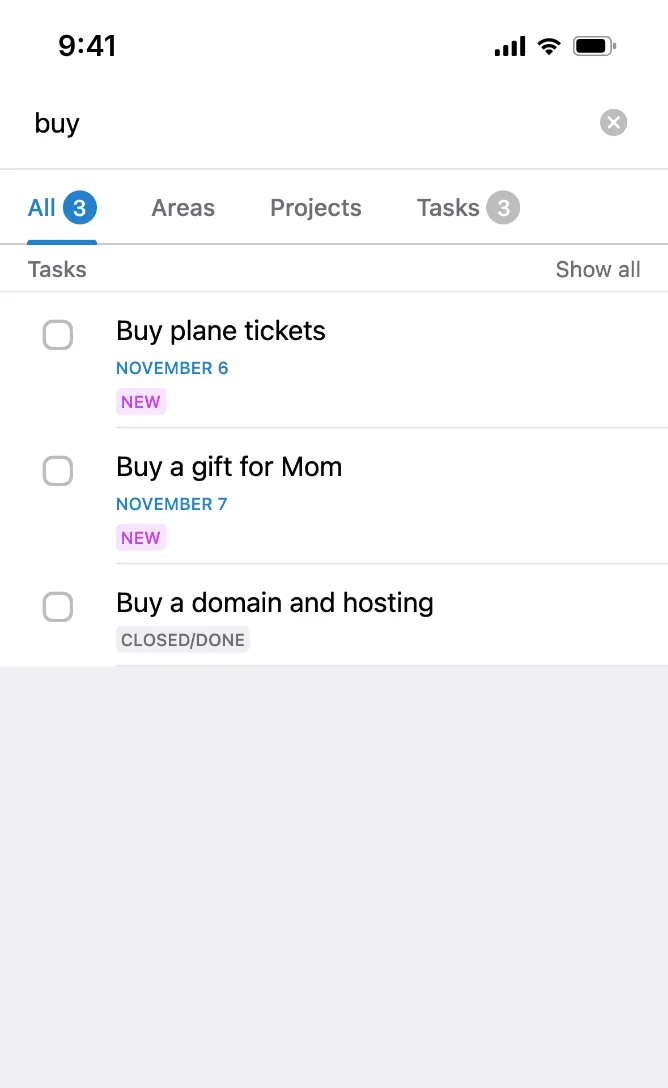
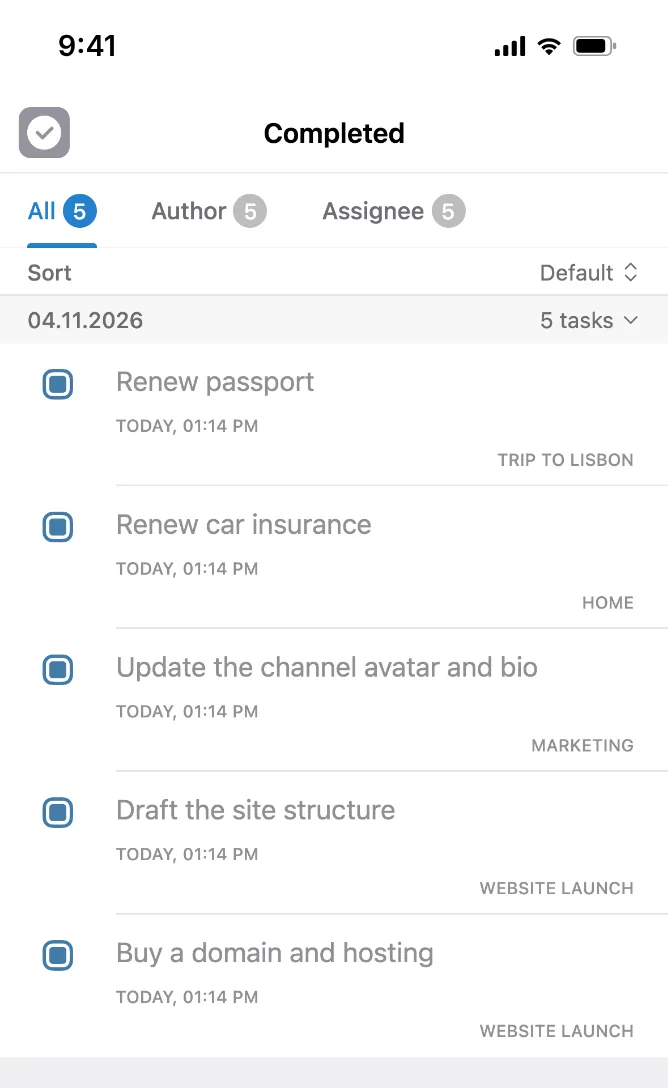
Home screen: smart lists and projects grouped by areasThe “Today” list with tasks from different projectsThe “Next 7 days” list by dateSearch across tasks, projects and areasCompleted tasks

Create a project for any goal: renovation, moving, a trip. Group projects into areas by topic, such as “Work” and “Personal”.

“Today” gathers tasks for the current date and overdue ones from all projects, “Tomorrow” shows the plan for the next day.

The plan for the week ahead from all projects, grouped by date.

One search across tasks, projects and areas: find what you need in a couple of seconds.

All finished tasks from all projects, grouped by completion date.

Made for

Everyone who arranges things in Telegram – at work and at home

Business and teams

Tasks – in the same work chats

Where the conversation already happens. No complex setup or staff training: the bot announces new tasks and reminds about due dates.

  • Coffee shop openingUTasks: #new Order a sign14:322
  • Marketing teamUTasks: 15 minutes left · Launch the newsletter11:451
  • Office renovationUTasks: Time · Sign off the electrical work16:001

Agencies

Clients, tasks and deadlines – in group chats

Advertising, digital, marketing, HR agencies and many others choose UTasks: every client gets their own chat and project, with tasks, assignees, due dates and reminders.

  • Advertising
  • Digital
  • Marketing
  • HR and recruiting
  • PR
  • Event
  • SMM
  • Branding

Freelancers and studios

A separate project for each client, with due dates and reminders, so no deadline gets lost.

  • Design
  • Development
  • Photo and video
  • Copywriting
  • Accounting

Family

Shopping, chores and celebrations

Studies

Coursework, group projects and deadlines

Weddings and parties

Vendors, deadlines and budget in one chat

Renovation and moving

Crew, purchases and schedule

Clubs and communities

Meetings, roles and shared plans

Country house

Seasonal chores and shopping

Over 90,000

users already assign tasks right in Telegram

  • On phone and computer
  • Nothing to install
  • With an AI assistant

Pricing

Pro

Reach your goals at work and in everyday life

183 ₽/month−27%
2,190 ₽ per year2,988 ₽
Licenses3
  • 2–42,135 ₽
  • 5–82,025 ₽
  • 9–191,895 ₽
  • from 201,785 ₽
Total per year6,405 ₽
Subscribe

Companies can pay for licenses by invoice to a bank account and get a discount. Write to support.

What’s included in Pro

  • Unlimited group and personal projects
  • Several assignees per task
  • Deadlines for tasks
  • Priorities and all 5 statuses
  • Files in tasks
  • Short commands in chats
  • Areas for projects
  • Avatars for personal projects

Prices are in rubles. Payment is made in the UTasks app in Telegram. By paying for a subscription, you accept the Terms of Use and the Privacy Policy.

  • Mir
  • Visa
  • Mastercard
  • SBP

FAQ

Yes, with no time limit: there is no classic trial period. The free plan works well if you mostly complete tasks: you can be an assignee in any number of group projects, assign tasks in two group projects and keep three personal ones.

Add the @UTasksBot bot to a Telegram group as a regular member, and a group project is created from it. You can also create a project from the app menu, but adding the bot to a group is the most reliable way.

Yes. Forward a message to the bot or write to it, and it offers to create a task. In a group chat, you can use the short /new command (in Pro) and UTasks AI with the /ai command.

Yes, with an inline task: send it to any Telegram user right in a private chat. They become the assignee once they tap the “Accept task” button under the message.

The date is the day the task is planned for; the author and assignees can change it. The deadline is the final due date; only the author sets and changes it. On the deadline day, the author and the assignee see a red counter in the “Today” block.

In Pro, you can assign tasks in any number of group projects, add several assignees, attach files, set deadlines, use short commands and group projects into areas. If you only complete tasks, the free plan is enough.

Yes, with yearly licenses: the more you buy, the lower the price of each one. You can buy them right in the app, for your team or as a gift. For other payment options, contact support at @UTasks_Support.

Didn’t find the answer? Check the documentation or write to support.

UTasks News @UTasksBlogENG

Our Telegram channel: updates, answers to frequent questions and video guides. Subscribe to be the first to know what’s new in UTasks.

Subscribe

Start using UTasks

Add the app to a group chat and assign tasks to its members

Open in Telegram