How to buy a team subscription to the PRO plan
Companies can still pay in rubles by bank transfer.
How to buy licenses
Section titled “How to buy licenses”To buy a team subscription to the PRO plan:
- Open the “Profile” tab at the bottom of the screen and tap the line with your current plan;
- Enter the number of licenses (one per team member);
Several licenses can be bought for 1 year only.
When you buy more than one license, the “Buy as a gift” box is ticked automatically.
- Tick the box to agree to the processing of personal data and accept the payment policy and the offer;
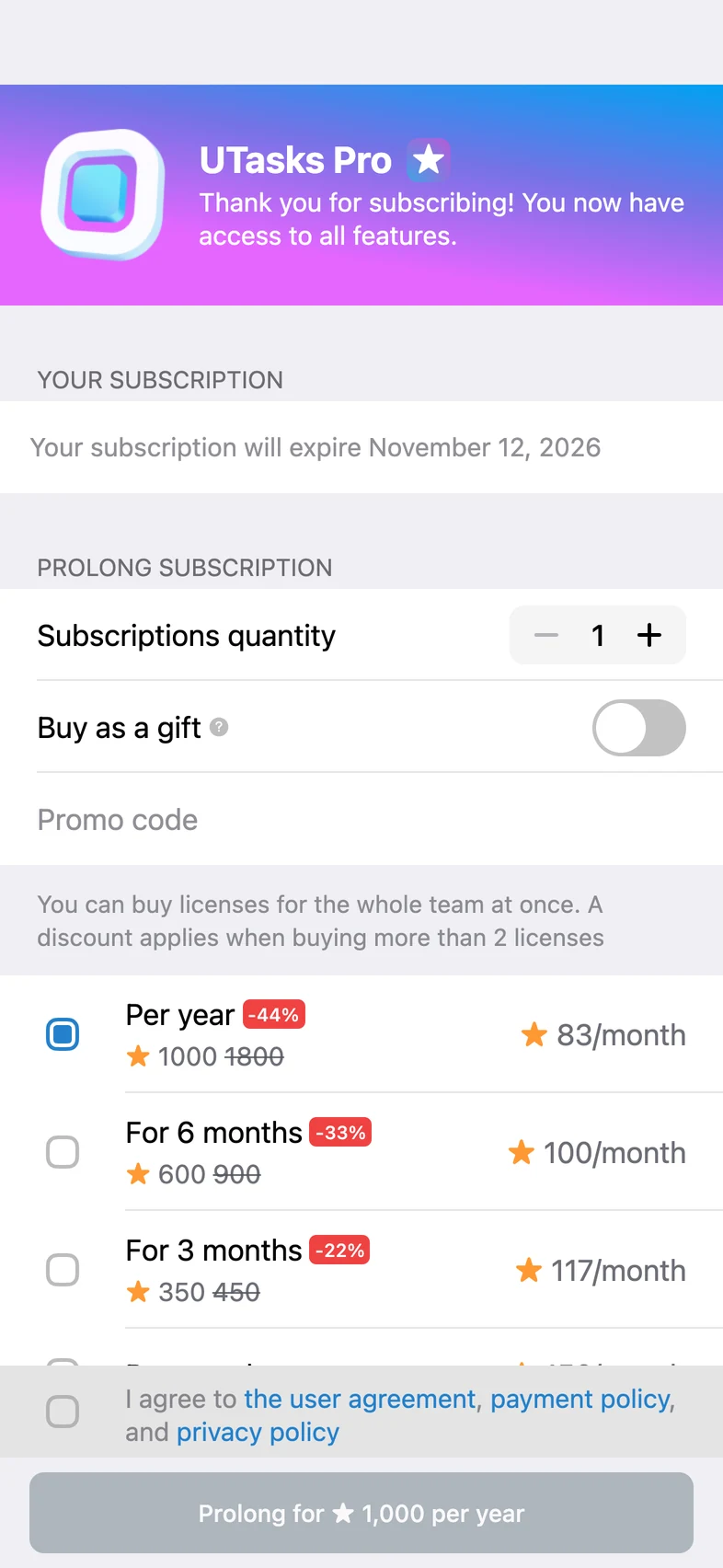
Discounts apply when you buy two or more licenses at once (see the discount matrix: the number of licenses on the left, the price of 1 subscription on the right).
1 → 1000⭐ (the base price per year)
2–4 → 975⭐
5–8 → 925⭐
9–12 → 865⭐
13–19 → 815⭐
20–30 → 775⭐
31–100 → 750⭐
For example, if you buy 10 licenses, you pay only 8650 Stars instead of 10000 and save almost 2 yearly subscriptions.
- Confirm the purchase with Telegram Stars.
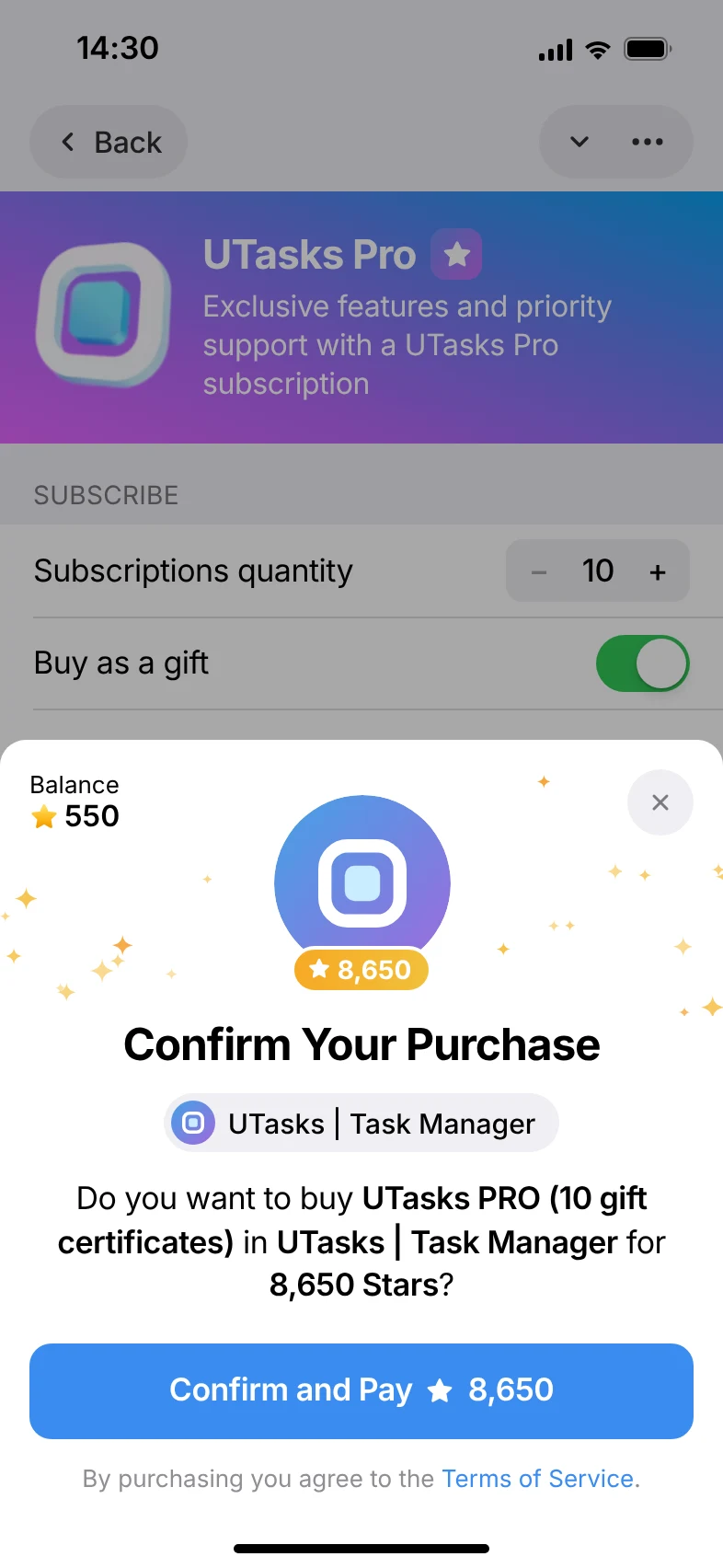
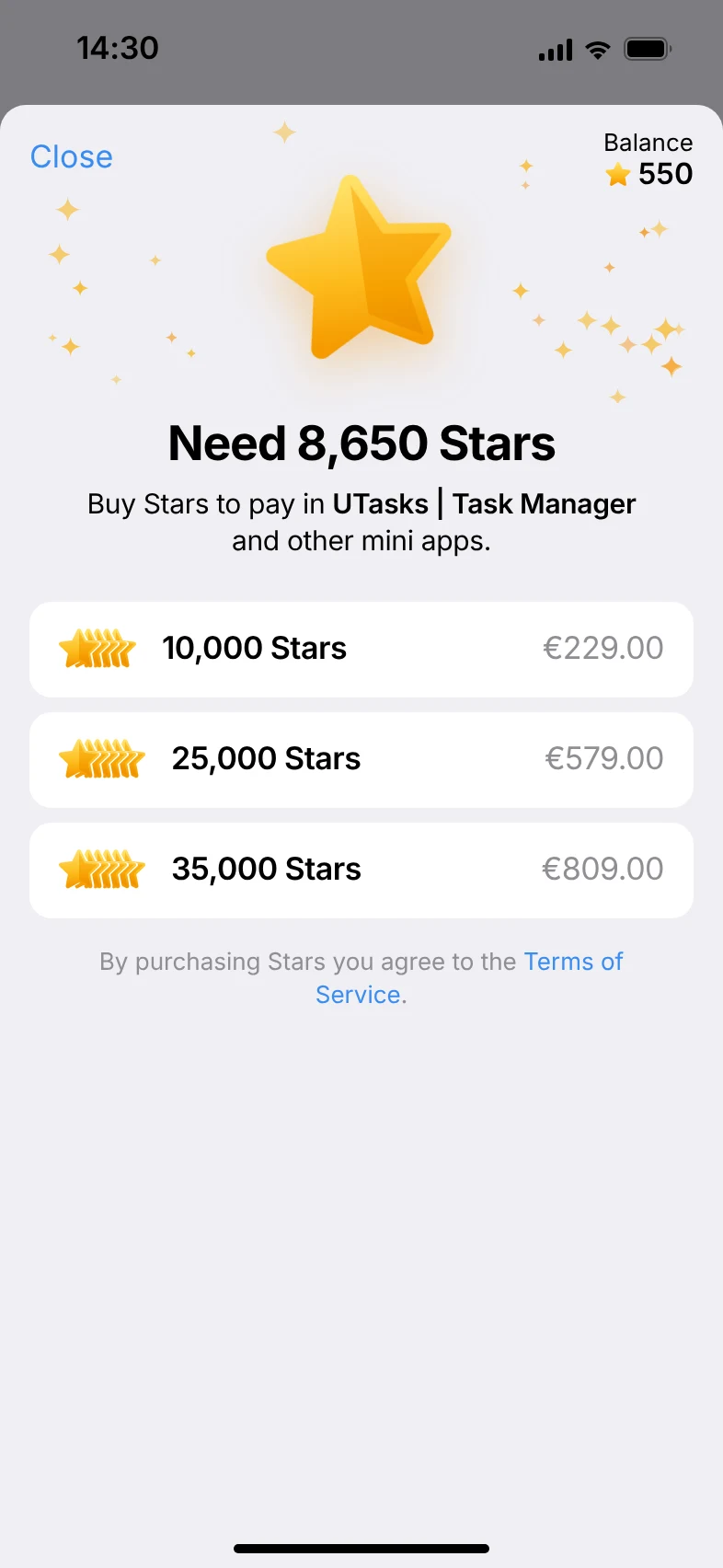
It looks just like a regular purchase in the Apple or Google store. The Stars are either taken from your balance (if you bought them in advance) or bought and spent on the subscription at the same time.
How to hand out licenses to your team
Section titled “How to hand out licenses to your team”The licenses you bought are sent to the chat with UTasksBot as separate messages.
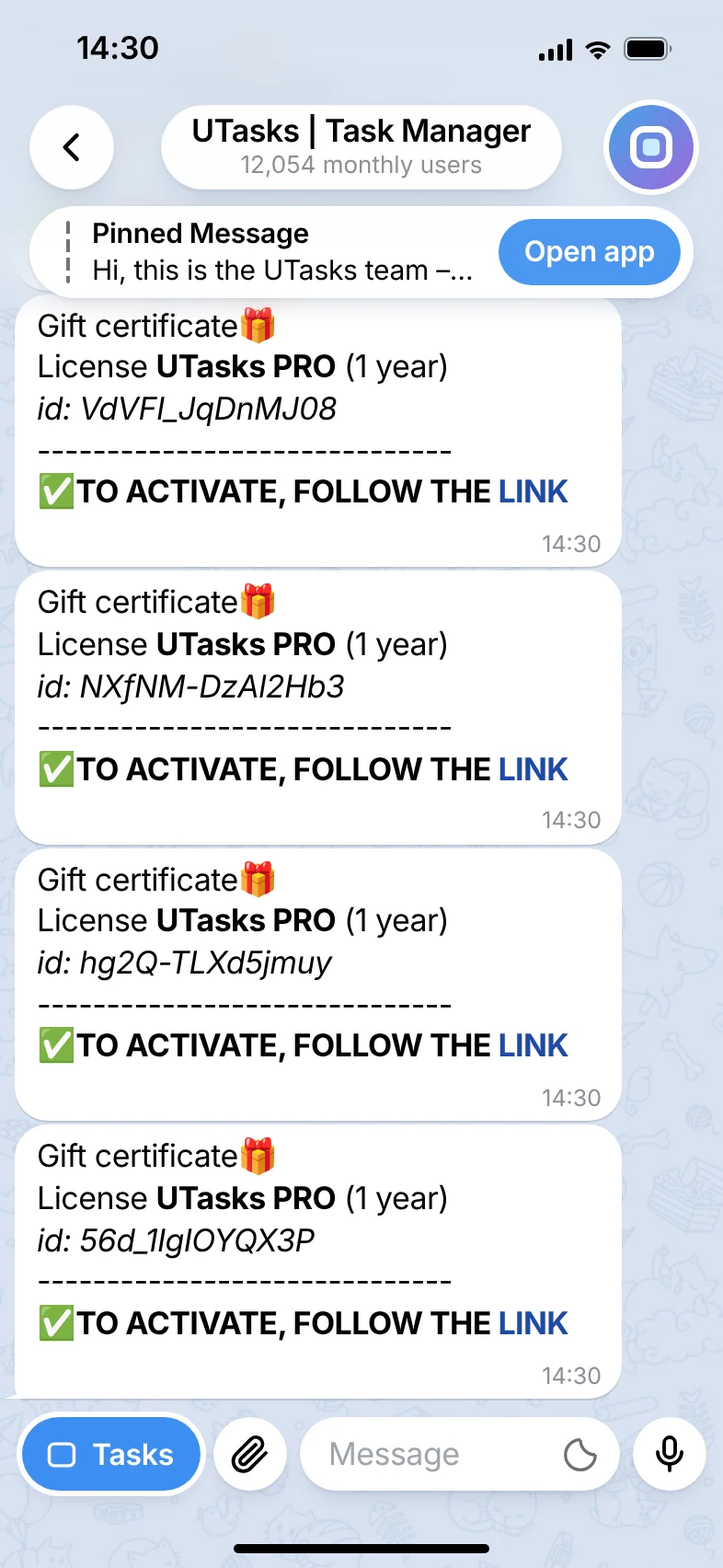
Forward these messages to the users who need to activate the licenses to get the PRO plan on their accounts.
1 person – 1 certificate!